Shift Left Security: How to Cut Vulnerability Fix Costs by 100x Before They Hit Production
 Varun Kumar 10 min read 13 May 2026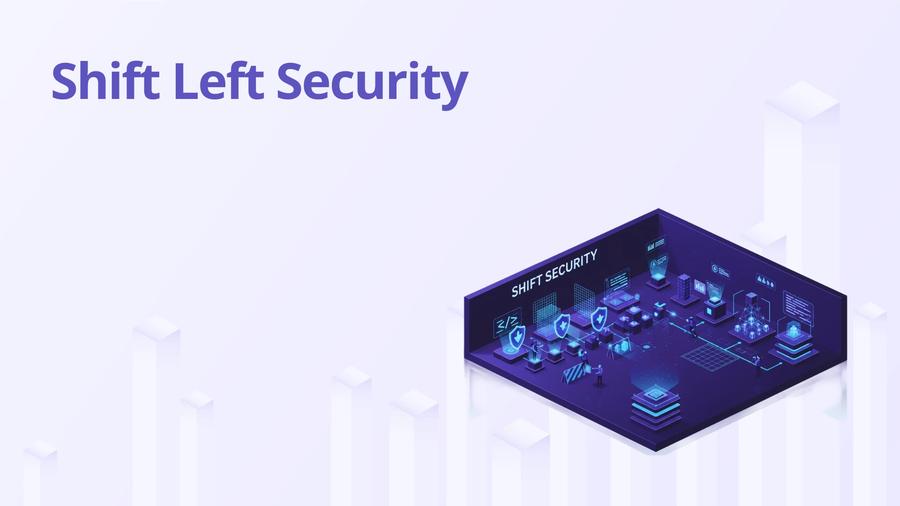
Shift left security means moving security checks earlier in the development process, closer to the developer writing code rather than the QA team testing it or the security team reviewing it post-deployment. The idea is simple: bugs found at the design stage cost almost nothing to fix. The same bug found in production can cost an incident, a breach, or a compliance violation.
That's the theory. The practice is different. Most "shift left" programs install a tool, announce it to developers, and wonder why adoption is zero six months later. The tool finds nothing useful, or it finds too much noise, or it blocks builds without explaining why. Developers learn to bypass it or ignore it. The security team marks the program as "implemented" in a spreadsheet.
What actually works is embedding security into the workflows developers already use, with feedback loops tight enough that the signal is useful
Certified DevSecOps Professional
Build secure CI/CD pipelines with SCA, SAST & DAST in 100+ labs.
Enroll Now
The Cost Curve That Justifies This
IBM's System Science Institute found that fixing a bug in production costs 100 times more than fixing it in the design phase. The actual numbers vary by org, but the shape of the curve is consistent: cost grows exponentially as code moves through the pipeline.
A SQL injection caught by a Semgrep rule on a developer's laptop is a one-line fix. The same vulnerability discovered in a penetration test before a release requires: a CVE assessment, a patch, regression testing, an emergency release, and a postmortem. If it's exploited first, add incident response, forensics, customer notification, and regulatory reporting.
This isn't just about money. It's about time. Security reviews that block releases create adversarial dynamics between security and engineering teams. Shift left done right removes that bottleneck by catching issues before they become release blockers.
Most teams implement this wrong because they focus on tooling before they fix the feedback loop. A scan that takes 20 minutes and returns 400 findings is not shift left. It's a different kind of toil.
Pre-Commit Security Hooks
Pre-commit hooks run on a developer's machine before a commit is recorded. They're the earliest possible automated security gate.
Pre-commit framework manages hook configuration in a .pre-commit-config.yaml file checked into your repo. Every developer runs pre-commit install once and hooks run automatically.
Here's a complete .pre-commit-config.yaml covering secrets detection, SAST, and IaC scanning:
A few decisions in this config worth explaining. The --severity ERROR flag on Semgrep means only findings Semgrep classifies as errors block the commit. Warnings get logged but don't prevent the commit from going through. This keeps the hook useful without making it a constant blocker. The types_or filter prevents Semgrep from running on file types where it has no rules, which speeds up the hook significantly on mixed-language repos.
The terraform_tfsec hook catches IaC misconfigs before they reach your PR. At --minimum-severity HIGH it blocks open security groups, unencrypted storage, and missing audit logging on cloud resources. Those are the findings worth blocking on locally.
The key is keeping it fast. If pre-commit takes more than 30 seconds, developers will use git commit --no-verify. Scope Semgrep to changed files only (--include or letting it run on the diff). Run detect-secrets before Semgrep so the fast check catches the obvious issues first.
gitleaks detects secrets using entropy analysis and regex patterns. It catches things detect-secrets misses, like generic API keys with non-standard formats. Run both. They have different detection logic and low overlap.
The .secrets.baseline file from detect-secrets lets you acknowledge existing false positives so the hook doesn't block commits on known non-issues. Audit that baseline file in code review.
IDE Security Plugins
The gap between "code written" and "security feedback" should be measured in seconds, not hours. IDE plugins close that gap.
Snyk IDE plugin (VS Code, IntelliJ, JetBrains) scans code and dependencies in real time, showing vulnerabilities inline as you write. For open source dependencies, it checks against the Snyk vulnerability database. For code, it applies pattern matching similar to its SAST engine. The Java and JavaScript coverage is particularly good.
SonarLint integrates SonarQube's rules directly into the IDE. If your org uses SonarQube server, you can connect SonarLint to pull the same rule configuration your CI pipeline uses. This means a developer sees the same finding in their IDE that would fail the build. No surprises at review time.
To connect SonarLint to your SonarQube server in VS Code:
- Install the SonarLint extension from the VS Code marketplace.
- Open settings and search for SonarLint: Connected Mode.
- Add a new connection: select SonarQube (not SonarCloud), enter your server URL, and generate a user token in SonarQube under My Account > Security > Generate Tokens.
- Once connected, select the project that matches your current repo. SonarLint pulls that project's quality profile and applies the same rules locally.
The result: a developer sees the exact same SQL injection finding in their IDE that would block the CI build. They fix it before pushing. The PR review doesn't find it because it's already gone.
Semgrep's VS Code extension applies Semgrep rules locally. Useful if your team already uses Semgrep in CI and wants consistent rules across local development and the pipeline.
The challenge with IDE plugins is buy-in. You can't force them on individual machines (and shouldn't try). What works: make them part of your developer onboarding docs, pick one plugin and get it working well rather than recommending five, and demonstrate the value by showing a real finding that the plugin caught before it reached PR review.
Security in Sprint Planning: Threat Modeling as a 30-Minute Ritual
Threat modeling sounds heavyweight. It doesn't have to be.
A 30-minute threat model in sprint planning for a new feature asks four questions: What are we building? What could go wrong? What can we do about it? Did we do it? This is the STRIDE-lite version that fits into an agile workflow.
For a new API endpoint that processes payment data, the sprint planning conversation sounds like: who can call this endpoint? What happens if they pass unexpected input? Does it log sensitive fields? Do we validate the caller's authorization on every request, not just at the session level? Those questions take 20 minutes and surface requirements that would otherwise be discovered in penetration testing.
The artifact doesn't need to be a formal document. A bullet list in the ticket is enough. "Security considerations: input validation for all fields, no PII in logs, authorization check before data access." Developers know what to build. Security knows what to test. The conversation happened at design time, not after code is written.
Most shift left programs fail because they treat threat modeling as a security team activity. It's not. It's an engineering activity that security participates in. If developers don't own the output, they don't implement it.
Developer Security Training That Sticks
Annual compliance training is security theater. Developers click through it in 15 minutes, retain nothing, and the org marks the compliance checkbox. I've watched this cycle repeat every year at companies that still have OWASP Top 10 vulnerabilities in production.
What actually works is learning-by-doing in context.
OWASP WebGoat is a deliberately insecure Java app with interactive lessons. A developer spends 2 hours exploiting a SQL injection, XSS, and IDOR vulnerability in a hands-on environment. That's more effective than a video about why SQL injection is bad.
Secure Code Warrior gamifies security challenges by language and framework. A Python developer gets Python-specific challenges. The leaderboard mechanic is cheesy but it works. Completion rates are significantly higher than video-based training because the feedback is immediate.
The best training I've seen is team-specific. Take a real vulnerability from your own codebase (sanitized), show how it works, show what the attacker does with it, and show the fix. That lands differently than generic examples.
Tie training to the tools developers already use. When Semgrep flags a finding, link to the OWASP page for that vulnerability type. Context at the point of friction is more memorable than classroom content.
Measuring Shift Left Effectiveness
If you can't measure it, you can't improve it. These are the metrics that matter:
Mean Time to Detect (MTTD): How long between a vulnerability being introduced and being caught? A vulnerability caught in pre-commit has an MTTD measured in seconds. One caught in production DAST has an MTTD of days or weeks. Track this per tool and per team. If MTTD is trending longer, something in your tooling or workflow broke.
To measure MTTD precisely, you need the commit timestamp when a vulnerability was introduced and the timestamp when it was detected. For vulnerabilities caught by CI, your pipeline logs have both. For vulnerabilities caught in pen testing or production, you'll need to trace back to the introducing commit using git blame and your bug tracker. This is manual but worth doing quarterly to understand where your detection is actually happening.
Percentage of vulnerabilities found pre-deploy: What fraction of your security findings come from pre-commit, PR review, and CI? If 80% are coming from production scans and pen tests, shift left isn't working. Target 70%+ from pre-deploy stages.
Track this by tagging findings in your security tracker with the stage where they were found. Most SIEMs and vulnerability management platforms (Defect Dojo, Jira with a security scheme) support custom fields. Pull a monthly report. The trendline matters more than the absolute number.
False positive rate: If your pre-commit hook generates more false positives than real findings, developers lose trust and disable it. Track this per tool. Tune rules until the ratio is useful.
The formula: false positive rate = (dismissed findings / total findings) over a 30-day period. Above 30%, your rules need tuning. Above 50%, developers have probably already stopped paying attention to the tool even if they haven't explicitly disabled it. Check bypass rates too: how often is git commit --no-verify being used? That tells you whether developers consider the pre-commit hook a help or a hindrance.
Escape rate: How many vulnerabilities make it past your shift-left controls and are found later in staging, pen testing, or production? Escape rate going down means your early controls are improving. Calculate it as (post-deploy findings / total findings). A shift-left program working well should push this below 20% over 12 months.
Developer security training completion and regression: Track completion, but also track whether teams that complete training produce fewer vulnerabilities in the 90 days after. That's the real measure.
The Certified DevSecOps Professional certification covers how to build and measure shift left programs in real organizations, including how to get engineering teams to actually adopt the tooling.
Why Most Shift Left Programs Fail
Tooling without enablement is the pattern. A security team installs Semgrep, writes a memo, and expects behavior to change. It doesn't. Developers don't know why findings matter. The tool blocks their work without explanation. Security isn't in the loop when developers push back.
The fix is embedded security champions: developers on each team who have enough security context to triage findings, explain the risk to their teammates, and flag false positives back to the security team. This scales security without requiring every engineer to become a security engineer.
The second failure mode is starting with too many rules. Every scanner has hundreds of rules. Enable them all and you get noise. Start with a narrow, high-signal ruleset. Prove value. Add more rules incrementally as the team's trust in the tooling grows.
FAQ

Varun is a Security Research Writer specializing in DevSecOps, AI Security, and cloud-native security. He takes complex security topics and makes them straightforward. His articles provide security professionals with practical, research-backed insights they can actually use.